
.png)
OFFPAD+ WITH MICROSOFT ENTRA ID – A Single Biometric Identity for Work & Life
Move beyond passwords & one‑time codes WITH OFFPAD+ & ENTRA ID INTEGRATION
Modern organizations need strong identity security without adding friction for users.
ZBRIQ’s Biometric Pre‑Enrollment service for Microsoft Entra ID builds on a FIDO2‑based, phishing‑resistant authentication model, using biometric verification such as fingerprint recognition to create a secure and intuitive passkey experience.
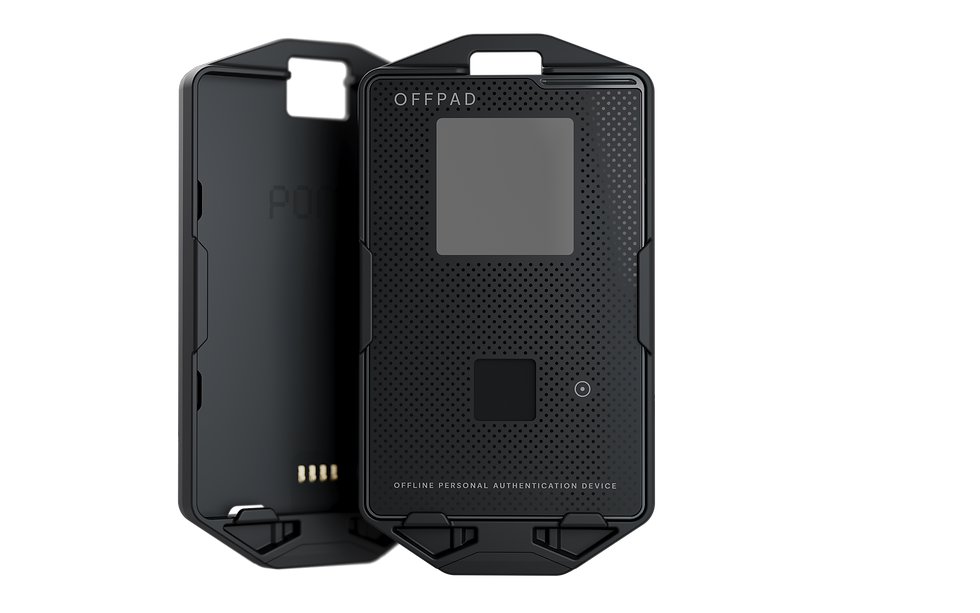
With OffPAD+, users gain a strong, device‑bound identity factor that enables secure access not only to Microsoft Entra ID, but also to other supported systems—supporting both daily work and selected personal use scenarios where secure authentication matters.
This approach reduces reliance on passwords while strengthening protection against common threats such as phishing and credential misuse.
By pre‑enrolling credentials on dedicated devices prior to distribution, organizations gain higher assurance, faster onboarding, and a more predictable identity lifecycle.
OFFPAD+ WITH MICROSOFT ENTRA ID INTEGRATION – WHAT THIS SERVICE CAN DO?
A SIMPLER, MORE SECURE WAY TO ACCESS EVERYTHING YOU NEED
This service allows organizations to prepare and connect biometric authentication to Microsoft Entra ID in a controlled and scalable way.
Instead of relying solely on passwords or one‑time codes, identities are strengthened early—before access is granted and before devices are handed over.

EXTEND SECURE AUTHENTICATION BEYOND ENTRA ID
The same biometric identity can also extend beyond Entra ID, enabling secure sign‑in across other supported platforms and applications where users traditionally rely on stored passwords.
This creates a more consistent and secure login experience across both organizational systems and selected external services—without adding complexity for the user.

THe result
-
Stronger identity assurance
-
Reduced onboarding friction
-
Better control throughout the user lifecycle
-
A more unified, password‑reduced user experience

ZBRIQ stöder dig från början till slut
From planning and implementation to ongoing management. With OffPAD+, users gain a secure way to manage access across multiple
services.
Each device can store up to 100 private keys, enabling secure sign‑in to both business and personal applications—such as Visma, GitHub, Google Workspace, and selected everyday FIDO2-compliant services.
This creates a more seamless and secure experience, where work and personal access can coexist without relying on passwords.
The solution is fully FIDO2‑compliant, meaning it works with any service or platform that supports modern, passwordless authentication standards.

Why biometric pre‑enrollment?
Stronger security from day one
Biometric authentication adds an additional identity layer that is significantly harder to compromise than traditional credentials. This reduces the risk of identity theft, misuse, and unauthorized access—especially in sensitive environments.
Faster, smoother onboarding
Users can be enrolled before their first working day or first login. That means:
-
Less manual administration
-
Faster activation in Entra ID
-
A calmer, more predictable first experience
A complementary identity layer
Biometrics work alongside existing identity methods in Entra ID:
-
Supports multi‑factor authentication (MFA)
-
Complements eID and other identity solutions
-
Enables secure access in environments where traditional login flows are limited or unavailable
Improved control & traceability
Once pre‑enrollment is in place, the same identity foundation can be extended to:
-
Additional cloud services connected to Entra ID
-
Other supported platforms and applications beyond Microsoft environments
-
Physical access systems and ID solutions
-
Federated identity scenarios across multiple platforms
Typical use cases

Secure authentication even when traditional login methods are unavailable.
Organizations with offline or restricted environments
Fast, secure access to sensitive systems without relying solely on passwords or shared devices.
Healthcare & critical environments
New employees receive a secure identity before their first day—access is ready, controlled, and compliant.
Enterprises
High‑trust identification without dependency on external consumer identity providers.
Public sector & e‑services
Service packages
Below you will find the packages for this service:
Basic Package – A starting point
-
Introduction of biometric authentication using OffPAD+
-
Strengthens login security with an offline‑capable identity factor
-
Ideal for organizations taking the first step beyond passwords
-
Standard Package – Structured implementation in your cloud environment
-
Needs analysis and security alignment
-
Implementation of biometric sign‑in connected to Microsoft Entra ID
-
Secure access to Microsoft 365 and selected systems
-
Packaging and deployment aligned with modern device management
-
Baseline governance to ensure MFA and biometric usage
Optional extensions include:-
Pre‑programmed biometric devices before distribution
-
Device rental models
-
Security and sign‑in reporting from Entra ID
-
Identity threat monitoring
-
Access and audit insights
-
Scheduled reporting or proactive monitoring by ZBRIQ
-
Pro package – Full lifecycle identity management
-
Tailored setup based on organizational policies
-
Pre‑enrollment of new employees according to defined requirements
-
Secure de‑provisioning when roles change or employment ends
-
Ideal for organizations with higher compliance, scale, or operational demands
-

Why ZBRIQ FOR OFFPAD+ & MICROSOFT ENTRA ID INTEGRATION
ZBRIQ combines identity security expertise with a human‑centric approach.
We focus on making advanced security feel calm, predictable, and trustworthy—for IT teams and users alike.
This service is designed to give you:
-
Higher assurance without added complexity
-
A solution that evolves with your organization
-
A clear path toward biometric identity without lock‑in
Ready to explore secure biometric onboarding?
Let’s discuss how biometric pre‑enrollment can fit into your Entra ID environment—now and in the future.
Contact ZBRIQ to get started.

FAQ Frequently asked questions about OFFPAD+ & authentication
Access policies are defined by each organization. Unless ZBRIQ manages your environment, those policies are set by your internal IT team.
However, Microsoft Entra ID supports flexible authentication setups. This means OFFPAD can be used alongside other methods, such as Windows Hello, depending on your organization’s policy.
Key point
Using OFFPAD significantly reduces many of the risks associated with traditional authentication:-
The private key is securely stored in the device’s secure element and cannot be intercepted or phished
-
Backup methods like passwords and MFA can still be used if needed—but each additional method may introduce additional risk, as outlined below
-
Yes, recovery is straightforward.
In an enterprise setup (such as Microsoft Entra ID), your IT administrator can revoke the lost credential and issue a new OFFPAD.
For online services where OFFPAD is used as an additional authentication factor, access can typically be restored using recovery keys associated with your account.-
How it works: Attackers create fake login pages that look identical to trusted services. When users enter their credentials and one‑time codes, the attacker captures them in real time
-
Example: A phishing email appears to come from a bank and directs the user to a fake login page, where credentials and codes are unknowingly submitted
-
How to reduce risk: Always verify URLs before signing in and use tools that can detect suspicious websites
-
-
How it works: An attacker intercepts communication between the user and a legitimate service, capturing login details and authentication codes
-
Example: Tools such as proxy‑based phishing setups relay login sessions while harvesting credentials in the background
-
How to reduce risk: Use hardware‑based authentication such as FIDO2 security keys instead of one‑time codes
-
-
How it works: Attackers repeatedly send login approval requests, hoping the user accepts one out of frustration or by mistake
-
Example: A device receives a flood of approval requests until one is accepted just to stop the notifications
-
How to reduce risk: Never approve unexpected login prompts. Use number‑matching or stronger authentication methods where possible
-
-
How it works: Attackers use social engineering to convince users to approve fraudulent authentication attempts
-
Example: A phone call impersonating IT support asking the user to approve a login request for “verification”
-
How to reduce risk: Always verify the request through official channels before approving any login attempt
-
-
How it works: Malware installed on a device can capture one‑time codes or authentication data
-
Example: Certain types of malware target authentication apps and extract codes without the user’s knowledge
-
How to reduce risk: Keep devices updated, avoid untrusted apps, and use trusted security tools
-
-
How it works: Attackers take control of a phone number by transferring it to another device, allowing them to receive SMS‑based authentication codes
-
Example: A mobile provider is tricked into moving a phone number to a fraudulent SIM, enabling account resets
-
How to reduce risk: Avoid SMS‑based authentication where possible and use hardware‑based authentication instead
-
-
How it works: Some authentication apps store backup data in cloud services. If that account is compromised, authentication data may also be exposed
-
Example: An attacker gains access to a cloud account and retrieves stored authentication secrets
-
How to reduce risk: Disable cloud synchronization for authentication apps and rely on secure hardware or local backups
-
-
How it works: Backup codes can be used to regain access if authentication devices are lost—but if stored insecurely, they can be accessed by attackers
-
Example: A backup code stored in plain text (email, notes, etc.) is discovered and used
-
How to reduce risk: Store backup codes securely, ideally in a password manager or offline in a protected location
-
-
How it works: Even after a successful login, attackers can take over an active session using malware or malicious browser extensions
-
Example: Authentication tokens are stolen after login, allowing access without repeating MFA
-
How to reduce risk: Regularly sign out of sensitive accounts and use secure authentication methods such as WebAuthn
-
Microsoft Entra ID is a cloud‑based identity and access management platform that enables secure access to applications, systems, and data across both Microsoft and non‑Microsoft environments.
It acts as the identity layer behind services like Microsoft 365 and allows organizations to:-
Manage user identities centrally
-
Control access to applications and data
-
Apply consistent security policies across environments
-
Single Sign‑On allows users to sign in once and gain access to multiple applications without needing to authenticate repeatedly.
Microsoft Entra ID supports SSO across thousands of cloud and on‑premises applications, using modern authentication protocols to provide a consistent login experience across services.Passwords are one of the most common points of compromise in modern IT environments.
Microsoft Entra ID supports passwordless authentication methods such as passkeys, FIDO2 security keys, and biometrics, which:-
Reduce the risk of phishing and credential theft
-
Remove the need to store or remember passwords
-
Provide a faster and more secure login experience
Passwordless authentication is increasingly considered a baseline for modern identity security.
-
Yes. Passkeys combine at least two authentication factors:
-
Something you have (the device or security key)
-
Something you are or know (biometric verification or PIN)
This means they meet multi‑factor authentication requirements while providing a simpler and more secure user experience.
-
Passkeys are designed to only work with the service they were created for.
Because the credential is linked to a specific domain, it cannot be used on a fake or look‑alike website—even if the user is tricked into visiting it.
This makes them significantly more resistant to phishing compared to traditional passwords and one‑time codes.Yes. Microsoft Entra ID includes Conditional Access policies that allow organizations to define when and how users must authenticate.
Access decisions can be based on factors such as:-
User role or privilege level
-
Device security and compliance
-
Location or sign‑in risk
This allows organizations to apply stronger authentication requirements for sensitive scenarios.
-
Microsoft Entra ID provides built‑in logging and monitoring capabilities that allow administrators to:
-
Track sign‑in activity
-
Review authentication usage
-
Audit changes and security events
These logs support both operational visibility and compliance requirements.
-
Yes. Administrators can remove or revoke authentication methods such as passkeys from a user account at any time.
This ensures that access can be controlled and updated quickly if a device is lost, replaced, or no longer trusted.Users can be prompted to register authentication methods either:
-
During sign‑in
-
As part of a rollout campaign
-
Through enforced security policies
Organizations can choose to introduce passwordless authentication gradually or require it from the start, depending on their security strategy.
-
Conditional Access is a policy framework within Microsoft Entra ID that controls access based on context.
For example, organizations can:-
Require stronger authentication outside trusted locations
-
Block access from high‑risk sign‑ins
-
Enforce device compliance before granting access
This allows security to adapt dynamically without impacting everyday user experience.
-
Microsoft Entra ID supports authentication across a wide range of platforms, including:
-
Windows, macOS, iOS, and Android
-
Modern web browsers
-
Cloud and hybrid environments
Compatibility may vary depending on the authentication method used and device capabilities.
-
Authentication methods can be re‑registered on new devices.
Depending on the setup, users can:-
Register a new passkey
-
Use recovery mechanisms
-
Be re‑enrolled by IT administrators
This ensures continuity without compromising security.
-